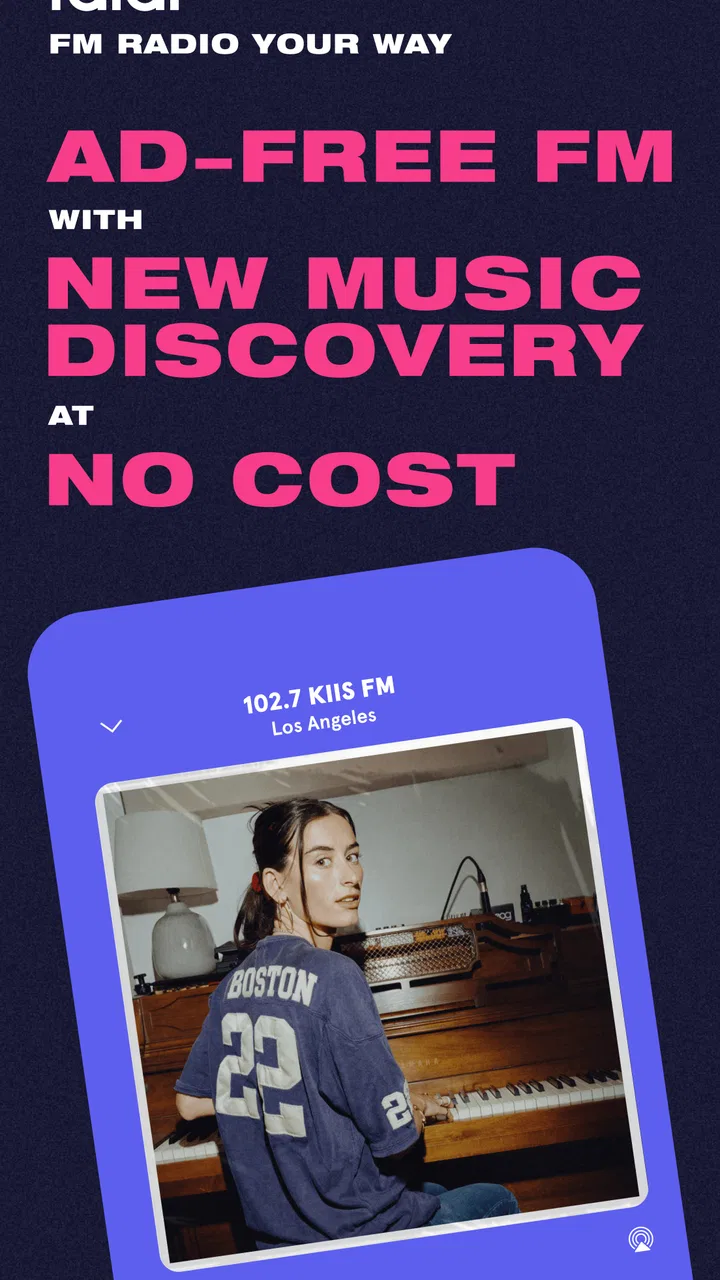
faidr: FM Radio & Music
- 4.0
- Rating
- 100.00K
- Installs
- Free
- Price

 Analysis by App-foxy
I approached faidr as someone looking for a simpler way to listen to FM radio without constantly reaching for the skip button. Developed by Auddia Inc., this free Music & Audio app is built around radio listening, music discovery, and a less interrupted flow. That combination makes it more interesting than a basic station directory, although it also means you should understand what kind of listener it is designed for before making it your main music app.
My first impression was that faidr is best understood as a bridge between traditional radio and modern on-demand listening. You still get the feeling of joining a live broadcast, but the experience is shaped around finding music with fewer disruptions. If you enjoy the surprise of hearing something you did not choose yourself, yet dislike the amount of talking and interruption that can come with ordinary FM, the idea is easy to appreciate.
The app is free, carries a Teen content rating, and requires Android 8.0 or later. Its current version is 3.3.9. On Google Play, it has passed 100K installs, with a 3.4 average from about 974 ratings and 240 written reviews. Those figures suggest a real audience, but also a mixed experience: this is not an app I would recommend blindly to everyone who listens to music.
You May Also Like

 Blood Strike: 2.5 Anniversary
Blood Strike’s Loadouts Turn Every Drop Into a Tactical Gamble
A close look at Blood Strike’s custom loadouts: how fast access to signature weapons reshapes its battle royale rhythm, rewards preparation, and narrows the gap between fights.

 Pandora - Music & Podcasts
Pandora’s Music Is Easy to Start, but Harder to Recover
Pandora’s strength is its low-effort path from a seed to a station. Its weak spot is how much confidence it asks you to place in connection, setup, and quiet recovery.

 8 Ball Pool
 Is Built on Rivalries, Rematches, and Routine
A close look at the rivalries, rematches, shared routines, and unanswered safety questions that turn a quick pool match into a persistent mobile community.

 Samsung Music
’s Quiet Strength Is Playing What You Already Own
Its reach comes less from spectacle than from dependable access to a personal library. That simplicity is both the app’s strongest retention engine and its ceiling.

 AccuWeather: Weather Radar
AccuWeather Review: A Quick, Clear Forecast for Everyday Decisions
For everyday plans, the best forecast is the one you can understand quickly. AccuWeather makes rain timing, radar, and local conditions easy to act on, with a few trade-offs.

 Hill Climb Racing
Why Hill Climb Racing Still Turns Crashes Into One More Run
A tiny car, a bumpy hill and one more upgrade: Hill Climb Racing keeps resurfacing because its simple chaos makes every near-miss feel personal.
More From Our News Desk
View All News


What listening with faidr actually feels like
The central appeal is not building a perfect personal library. It is opening the app when you want music to happen in the background without spending several minutes choosing an album, playlist, or artist. That makes it a natural fit for a morning routine, a commute, cooking, or a work session where you want sound present but do not want to manage it constantly.
Compared with a conventional FM radio app, faidr feels more focused on the music itself. Traditional radio can be enjoyable because it is live and local, but it often places presenters, advertisements, station imaging, and repeated announcements between songs. Here, the promise is a more continuous listening experience. I found that concept especially appealing when I wanted radio’s element of surprise without feeling that the music was repeatedly being interrupted.
Compared with a streaming service built around playlists, the trade-off goes the other way. A service such as a conventional on-demand music platform gives you more direct control over a specific song, album, or artist. faidr is better when you want discovery and momentum. If you already know exactly what you want to hear, the usual streaming alternative will probably be more efficient.
The important distinction is control versus flow. faidr asks you to accept a little less precision in exchange for a listening session that feels more like turning on a station and letting it develop. That is not a weakness by itself, but it should shape your expectations from the beginning.
Who will get the most from it
I would point faidr toward listeners who still like radio’s personality and unpredictability but want less friction. It can also suit people who discover music better through context than through searching. Hearing a track arrive naturally can be more enjoyable than typing an artist name, comparing several playlists, and deciding where to start.
It is less suitable for someone who needs a specific song immediately, wants a carefully ordered queue, or expects a complete replacement for a personal music collection. It is also not the first app I would choose for serious offline listening, detailed library management, or a listening session built around one exact artist. Those needs call for a more control-oriented service.
Getting through the first setup
After installing the app, I recommend giving yourself a quiet minute rather than opening it for the first time while already rushing out the door. The most useful first step is to look around the main listening area and identify how the app separates starting playback from discovering something new. That small orientation period makes the experience feel much less mysterious.
Because faidr is a radio and discovery app rather than a conventional music locker, the first screen may not match the mental model you bring from a playlist service. Do not assume that every visible choice is a saved album or a permanent personal station. Treat the opening screen as a launch point for listening, then pay attention to how the app presents the available radio experience.
My practical advice is to begin with one listening goal. For example, decide that you want background music for a walk or a half-hour of desk work. Starting with a simple purpose helps you judge whether the app’s uninterrupted approach works for you, instead of evaluating it against every feature you have seen in other music services.
The app is free, so there is no payment decision blocking that first test. That makes it easy to try in a low-pressure way. Still, “free” should not be confused with “identical to every paid streaming experience.” The value here is the listening format, not a promise that it will provide the same level of ownership and control as a subscription library.
How to reach a first meaningful success
Your first successful action should be simple: start a listening session and leave it running long enough to hear whether the flow suits your taste. I would not judge faidr after opening it for a few seconds. The point of the app is the way music unfolds over time, so the useful test is whether you can settle into another activity without constantly managing playback.
A realistic example is a weekday breakfast. I would open faidr while preparing food, begin a station or discovery session, and keep the phone aside. If I can move through that routine without the usual cycle of searching, selecting, and replacing tracks, the app has already done something valuable. The success is not finding one perfect song; it is creating a low-effort soundtrack.
Another good test is a commute where you do not want to handle your phone repeatedly. Start the session before leaving, then pay attention to whether the music remains pleasant enough to carry the journey. If you find yourself wanting to take control after every track, that is useful information too: you may prefer a playlist-based service.
When a song catches your attention, make a mental note of what you liked about the discovery. Was it the genre, the energy, the surprise, or simply the fact that you had not heard it recently? This helps you decide whether faidr is useful as a discovery tool even if it does not become your everyday player. Many people make the mistake of judging a radio app only by whether it replaces their main music library, when it may work better as a companion for finding new listening ideas.
Small habits that improve the experience
One useful habit is to use faidr for activities where interruption is more annoying than lack of control. Cleaning, commuting, stretching, and casual work are good examples. In those situations, the app’s radio-style flow can be an advantage because you are not trying to curate every minute.
A second tip is to separate discovery sessions from focused listening sessions. When I want to explore, I let the app surprise me. When I need concentration or a particular mood, I use a service with a playlist I can predict. This simple division prevents disappointment and makes faidr feel like a deliberate tool rather than a failed replacement for everything else.
A third insight is that uninterrupted listening changes how you evaluate songs. With a normal playlist, I often decide within seconds whether a track belongs. With a radio-style app, I am more likely to notice how a song fits the surrounding sequence. That can reveal music I might have skipped in a search-based interface, although it also requires more patience.
Finally, try it at different times of day before deciding whether it belongs in your routine. A station that feels right during a relaxed afternoon may not suit an early morning or a demanding work period. The app’s strength is situational, and a single short test can give an unfairly narrow impression.
Where first-time users may feel confused
The biggest possible confusion is expecting faidr to behave like a fully searchable, on-demand catalog. Its identity is closer to curated radio and discovery than to a personal jukebox. If you install it because you want to enter a song title and play that exact track immediately, you may feel that the app is working against you. That is not necessarily a technical problem; it is a mismatch between the product’s purpose and your expectation.
Another point to understand is that “no disruption” describes the intended listening experience, not unlimited control over every part of the session. Radio-style listening still involves accepting the direction of the station or discovery stream. You gain continuity, but you give up some of the precise decisions available in a playlist app.
Some listeners may also wonder whether they should use faidr as their only music app. My answer is usually no, unless your habits are very simple and you mainly want effortless radio. I see it as a strong secondary option for discovery and background listening. A conventional streaming service remains more practical for albums, personal playlists, exact song requests, and deliberate repeat listening.
The mixed rating is worth keeping in mind without treating it as a final verdict. A 3.4 average from roughly 974 ratings can reflect different expectations as much as different technical experiences. Someone seeking a clean radio flow may appreciate the app, while someone expecting the controls of a large streaming catalog may rate it much less generously. I would read that score as a reason to test it personally, not as proof that the concept fails.
Questions I would ask before keeping it installed
If you are wondering whether it costs anything to begin, faidr is free to install and use as listed in its Android edition. That makes a personal trial straightforward. I would still approach it as a format experiment: the key question is whether its style of radio listening fits your routine, not simply whether the download has an upfront price.
If you are using an older Android phone, the practical requirement is Android 8.0 or later. Check that before planning to use it on an older spare device. On a compatible phone, the current version is 3.3.9, so keeping the app updated is the sensible way to test the experience as it is currently offered.
If you are asking whether it is appropriate for children, the Teen content rating means I would not treat it as a child-focused music app. Parents should make their own decision based on the listener’s age and the kind of radio content they are comfortable with. For teenagers and adults, the rating is less of a concern, but it is still useful context when choosing an app for a shared family device.
If you want to know whether it can replace FM radio, I would say it can replace part of the habit, especially when your main complaint is disruption. It does not necessarily replace the local, live, or highly specific character that makes traditional radio appealing. If local broadcast content is the reason you listen, a standard radio option may remain the better choice.
And if your main question is whether it can replace a streaming subscription, my answer is more cautious. It can reduce how often you reach for a playlist service when you simply want music in the background. It is not the better choice when you need exact control, a personal collection, or a carefully sequenced listening plan.
When another option is the smarter choice
Choose a regular streaming service when you are preparing a playlist for a party, studying with a specific atmosphere in mind, or replaying a favorite album. Those situations reward control. faidr’s discovery-first approach may introduce welcome variety, but variety is not always what you need.
Choose a conventional FM radio app when local stations, live presenters, regional news, or the feeling of real-time broadcasting matter most. faidr is aimed at a cleaner music experience, so it may feel less satisfying if the surrounding broadcast content is part of the reason radio matters to you.
Choose a podcast app when spoken programs are your priority. faidr belongs in the music and radio space, and its appeal is the continuity of music discovery rather than long-form talk. Using it for the wrong kind of content would make the app seem limited when the real issue is simply that you need another category of player.
My recommendation after testing the concept
I like faidr most as a low-effort discovery companion. It gives me a reason to listen without turning the start of every session into a search task. The app makes sense when I want the radio habit but would rather spend more time with music and less time dealing with interruptions.
I would recommend installing it if you enjoy being surprised by songs, often listen while doing something else, and do not need to control every track. I would skip it if your ideal session begins with a precise request and ends with a perfectly ordered queue. In that case, the usual on-demand alternatives will feel more natural and less restrictive.
The best way to decide is to give it a fair first run: install it on a compatible Android device, start one session for a routine task, and resist the urge to compare every moment with a playlist app. Notice whether the music helps you stay in the activity you were doing. If faidr makes listening feel easier rather than more demanding, it has earned a place in your rotation.
My final view is positive but specific. This is not a universal music replacement, and it should not be judged as one. It is a free radio and discovery app from Auddia Inc. with a clear purpose: making music listening feel more continuous and less interrupted. For the right listener, that focus is exactly what makes it worthwhile. For everyone else, especially people who want total choice, another kind of music app will be the better everyday companion.
FAQs for faidr: FM Radio & Music
01What is faidr: FM Radio & Music, and how does it work?
Faidr: FM Radio & Music is an app designed to enhance your radio listening experience by providing access to FM stations and curated music playlists. It works by streaming live radio stations from various genres and locations. Users can customize their listening experience by creating playlists and bookmarking favorite stations for easy access.
02Is faidr available for both Android and iOS devices?
Yes, faidr: FM Radio & Music is available for download on both Android and iOS platforms. The app can be found in the Google Play Store for Android users and the Apple App Store for iOS users. This ensures that you can enjoy your favorite radio stations and music playlists regardless of your device.
03Does faidr require an internet connection to function?
Yes, faidr: FM Radio & Music requires an active internet connection to stream live radio stations and music playlists. This allows the app to provide real-time access to a wide range of stations and ensure uninterrupted playback. A stable Wi-Fi or mobile data connection is recommended for the best experience.
04Are there any subscription fees associated with using faidr?
Faidr: FM Radio & Music offers both free and premium versions. The free version provides basic access to radio stations and playlists, while the premium version offers additional features such as ad-free listening and exclusive content. Users can choose the version that best fits their needs and upgrade if desired.
05Can I create and share playlists with faidr?
Yes, faidr: FM Radio & Music allows users to create personalized playlists from their favorite radio stations and songs. Additionally, users can share these playlists with friends and family, making it easy to enjoy and discover new music together. This feature enhances the social aspect of the app, fostering a community of music lovers.
Pros
- User-friendly interface for easy navigation.
- Wide variety of radio stations available.
- High-quality audio streaming supported.
- Customizable playlists enhance experience.
- Offline listening for premium users.
Cons
- Some features require a premium subscription.
- Occasional ads disrupt free version.
- Limited podcast selection compared to competitors.
- Battery consumption could be optimized.
- Initial setup can be slightly confusing.

faidr: FM Radio & Music
Gallery